How to Build a Website Using HTML & CSS: Website Building Series
In this course you'll learn how to create a website from scratch! Which means not using any tools like Content Management System such as WordPress.
You will learn the real tools to create a website from the ground up. You'll also have your own little slice of the web to build your site and your end goal will be a website that is all about you.
So where do you start? Here are the building blocks:
- HTML: create the content of your web pages
- CSS: to style how the web pages look including layout, color and font
- JavaScript: add interactivity to your pages by programming the behavior
- PHP: even more interactivity including form processing
Start at the beginning and slowly layer them on!
So where do you start? Start with your building blocks and slowly layer them on!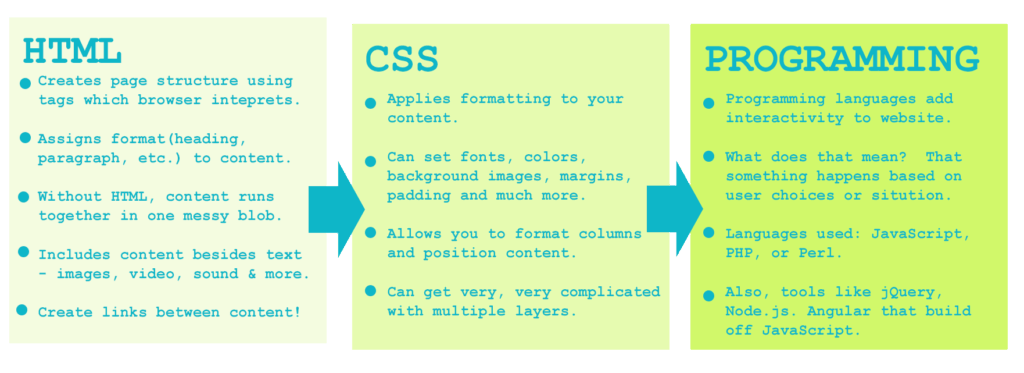
An Example of How They Work Together
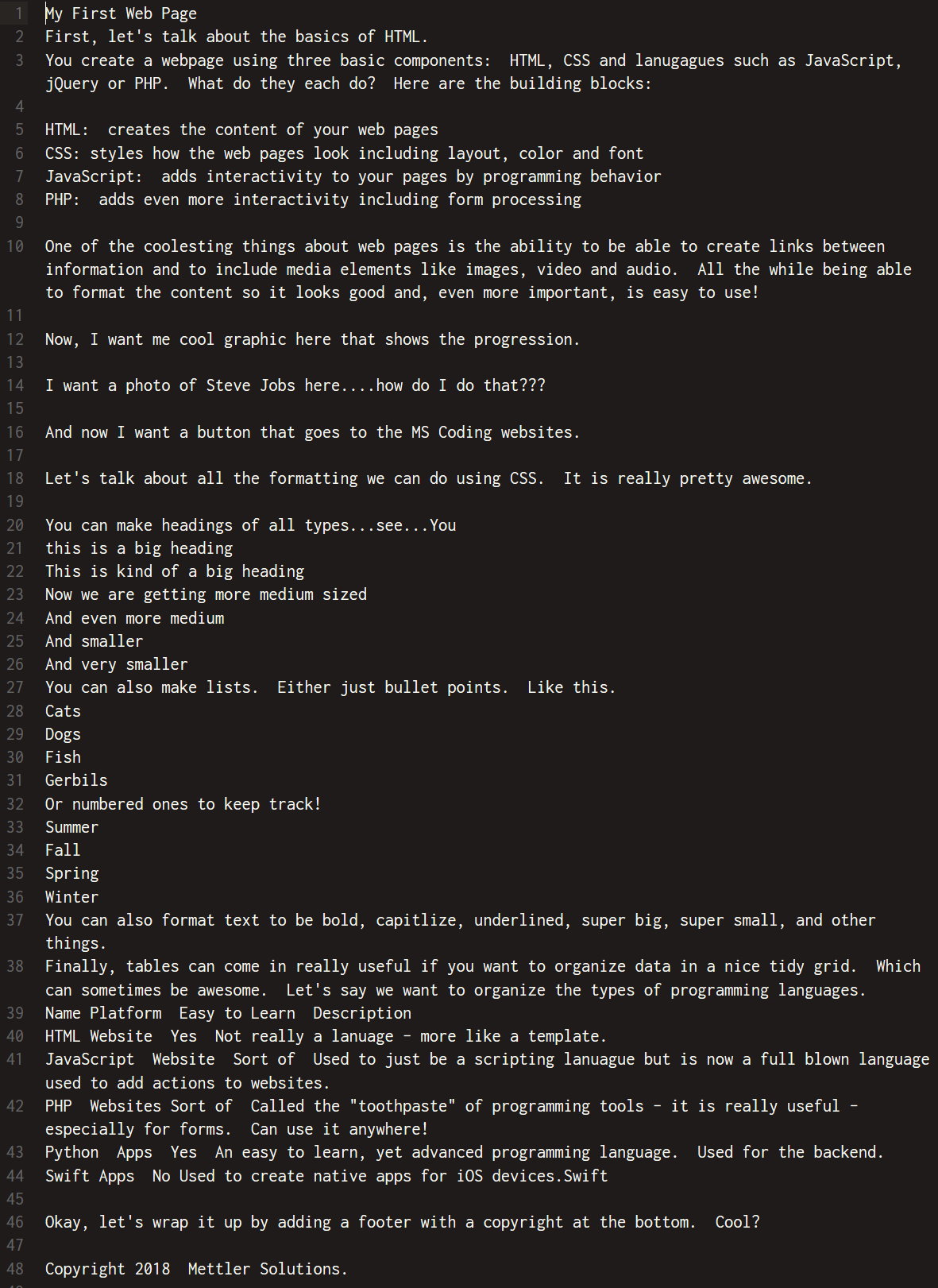
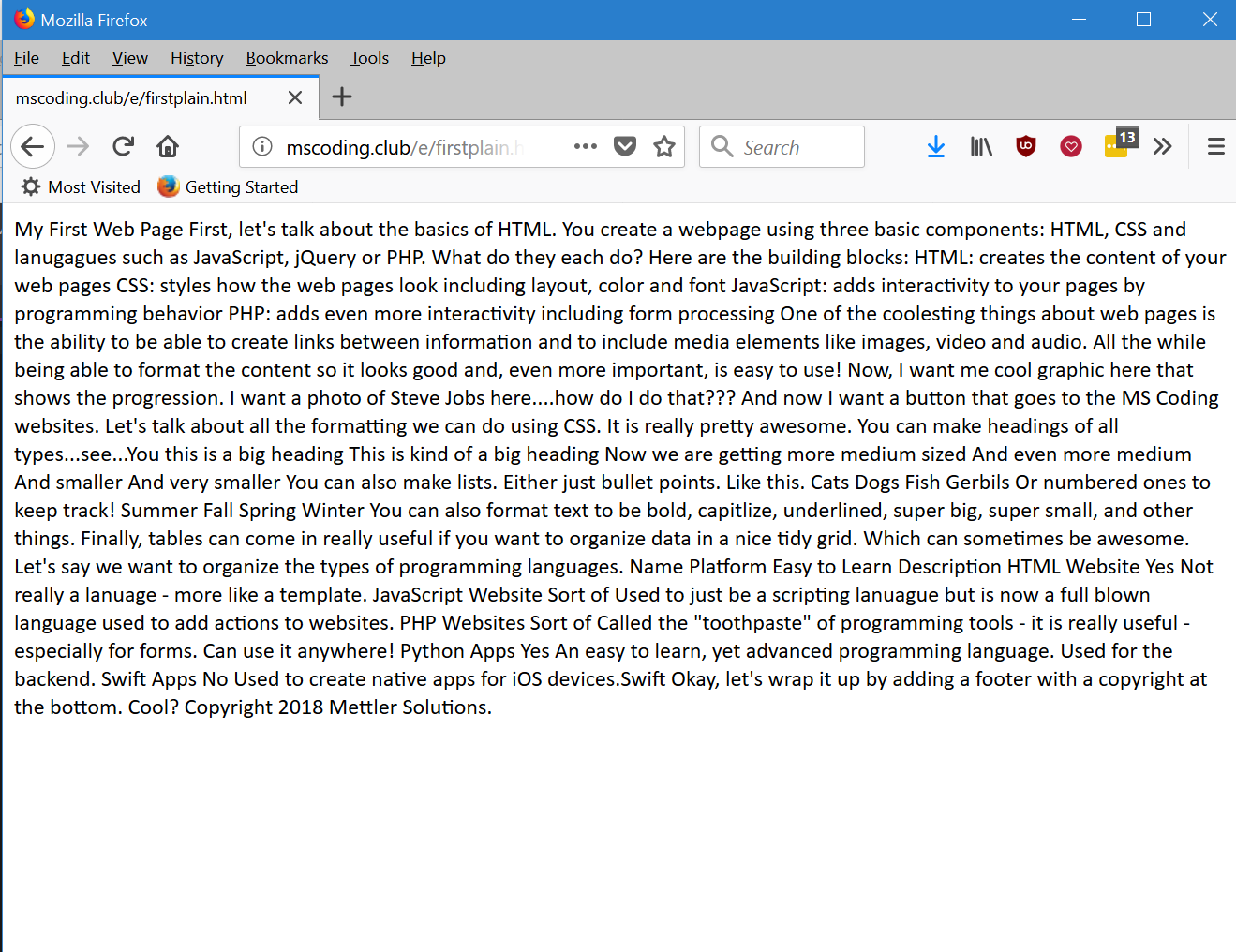
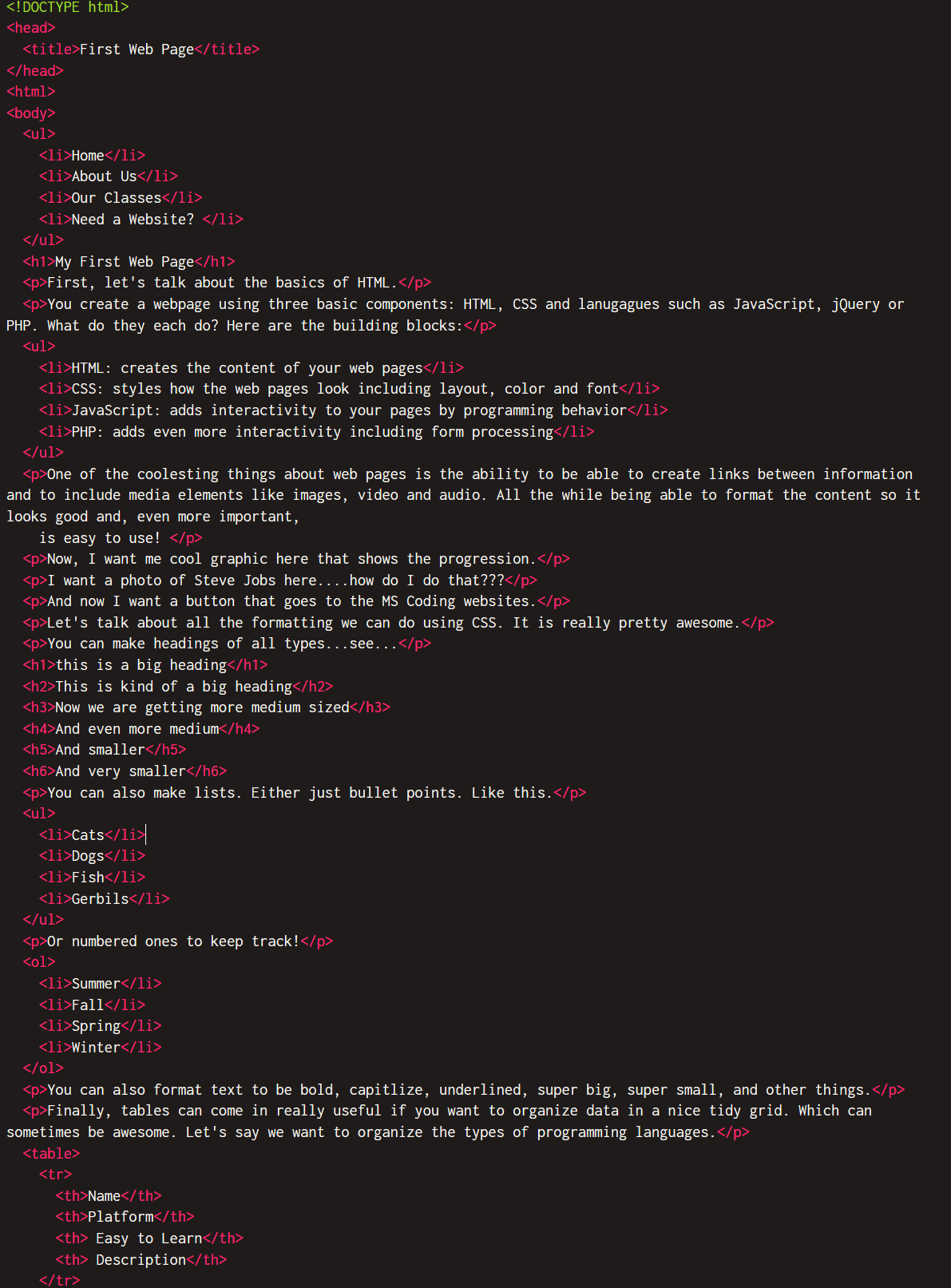
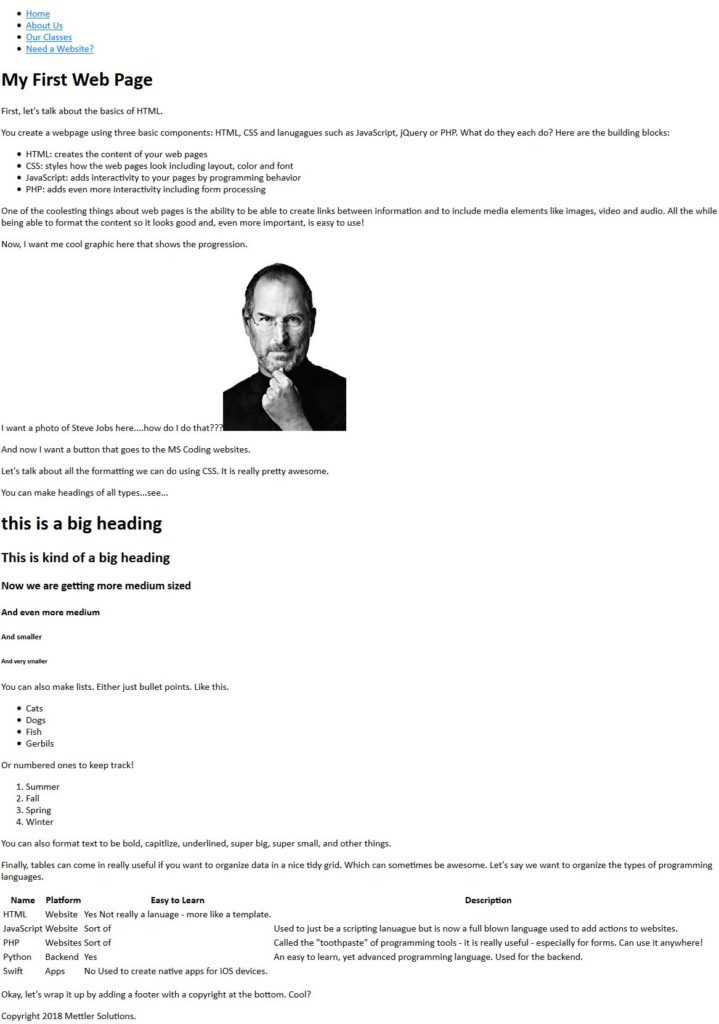
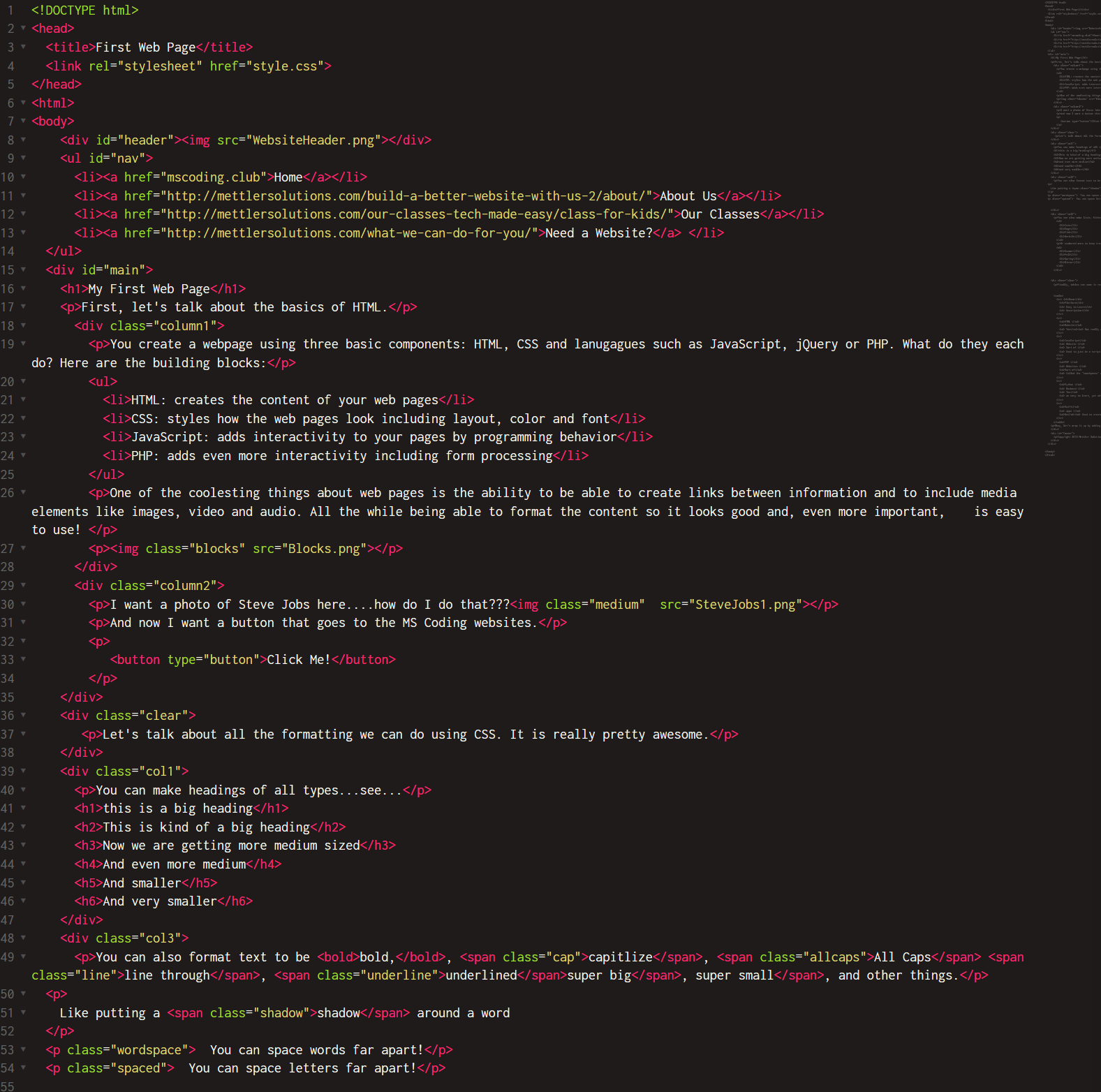
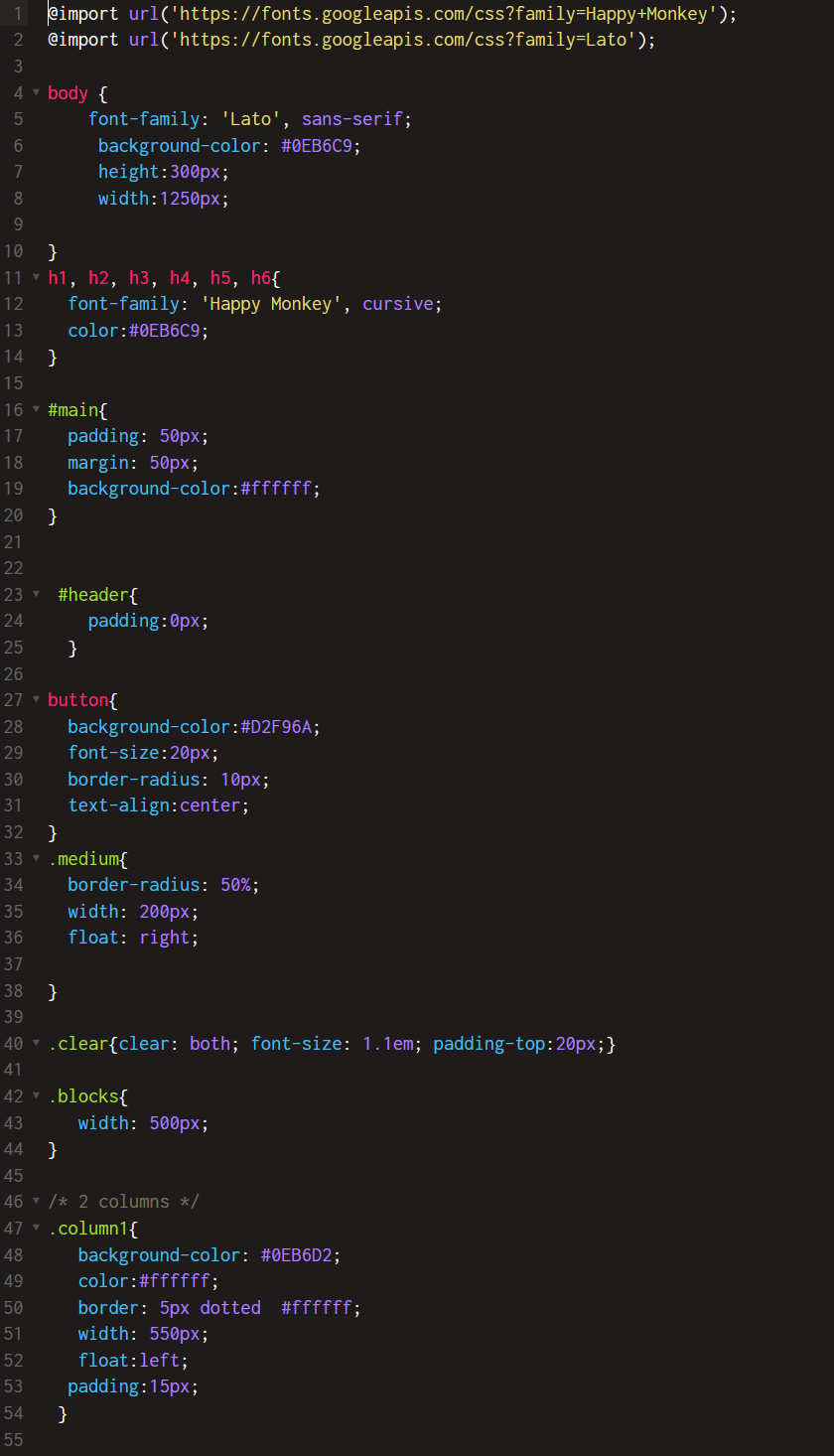
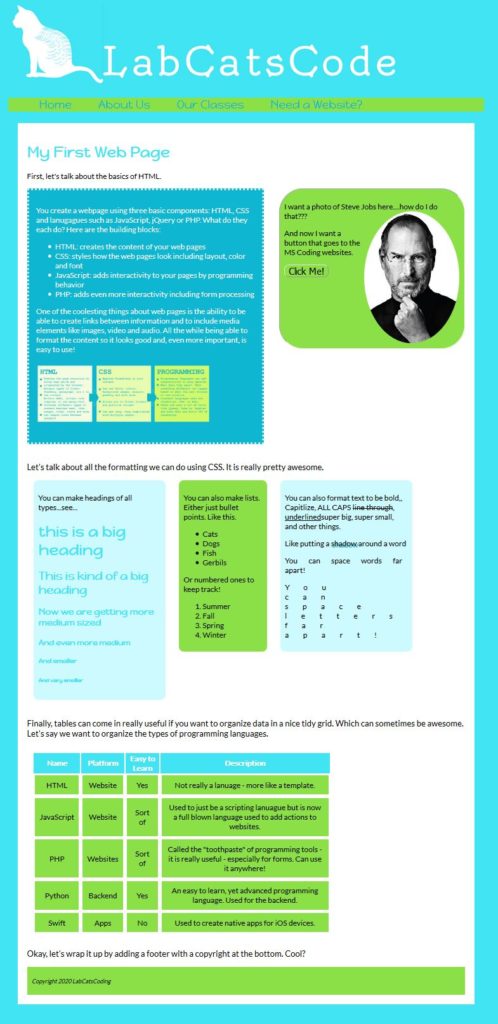
The tabbed pages below shows how HTML & CSS work together to create a web page. Let's look at the progression of how the page is created.
Step 1
Without any HTML or CSS - let's see what a "plain" page would like when viewed on a web browser. This shows the plain text in an editor.