
MVP Workout Func Spec
Scope of the Project
The workout generator helps people create new workouts in a timely and effective manner. It will provide the user with a wide range of exercises and options to choose from when creating a new workout.
- The workout generator will allow users to create new workouts, save and log their workouts, and look back on any workouts they've saved.
- Users will be able to specify what type of workout they want to do, what muscle groups they want to target, and what equipment they have access to. the user will also be able to rate the workouts they do, and leave comments on their workouts in their log, share workouts through email, text, etc
Func Spec Examples
Take a look at other's func specs to get ideas. While Hadley's is good - it is very complicated. BTW - none of these are perfect!
- Margot's Ultimate Frisbee App
- Fiona's Skiing
- Eva's Clothes Generator - go down to Solutions Overview section
Step 1: Overall Planning
Functional Requirements
- User inputs type of workout they want to do (ex. target legs or full body), database gives them exercise options to choose from
- User can select from list of exercises and add them to their personal workout of the day
- User can save workouts to do again in the future
- Tags on all the exercises so that the database can pull them for whatever the user wants (ex. squats work legs, glutes, quads-all separate tags)
- Users can log their workouts (all open-ended text boxes so they can put their own descriptions, drop-down menu with all the tags so they can organize, ratings)
- Timer function so users can time exercises
Core Functionality
- User inputs type of workout they want to do (ex. target legs or full body), database gives them exercise options to choose from
- User can select from list of exercises and add them to their personal workout of the day
- User can save workouts to do again in the future
- Tags on all the exercises so that the database can pull them for whatever the user wants (ex. squats work legs, glutes, quads-all separate tags)
- Users can log their workouts (all open-ended text boxes so they can put their own descriptions, drop-down menu with all the tags so they can organize, ratings)
- Timer function so users can time exercises
Step 2: Home Page Planning
Wireframe
Plan out what your home page will look like. Create a wireframe - either electronically or via pen and pencil. When you are done put copy of it in the box below!
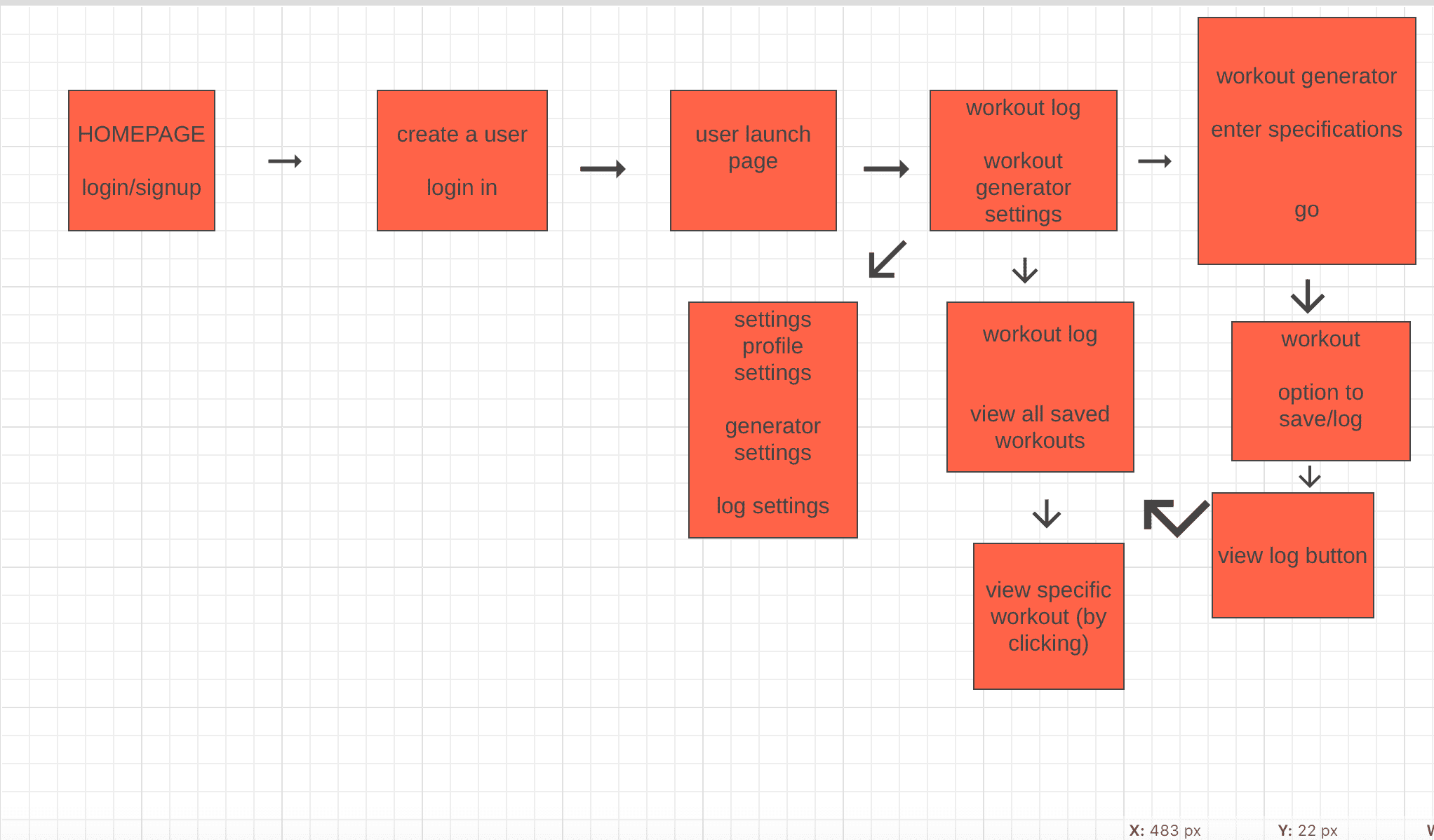
Step 3: Database Planning
Database Diagram
Figure out the structure of your database - tables and fields. This is very important. Create this using a tool or via Paper. I use Microsoft Access as it is very easy and creates clean layouts.

Step 4: Schedule
Preliminary Schedule:
1 . home page
- login button
- mission statement (?)
- exercising pictures/gifs/illustrations
- explain functions of website
- testimonials eventually
- sign up button to create a user
2. user home page
- buttons to workout generator page and workout log
- welcome message to user using username ("welcome back user!")
3. workout generator page
- database/collection of all exercises (requires lots of research)
- tags all exercises in their type
4. workout log
- save workouts
- rate workouts
- comments on workouts
- option to organize log of workout by time or rating
- share workout via email or text
5. Logins and accounts
- usernames and passwords
- login button on homepage
- average users can only access their own data, etc
Task List:
- create homepage
- login and create user functions
- workout generator
- workout log